🎮 Controls Overview
RV There Yet supports both keyboard/mouse and game controllers (Xbox, PS5, generic). This guide covers all control schemes, helping you master vehicle driving, item interaction, and multiplayer communication.
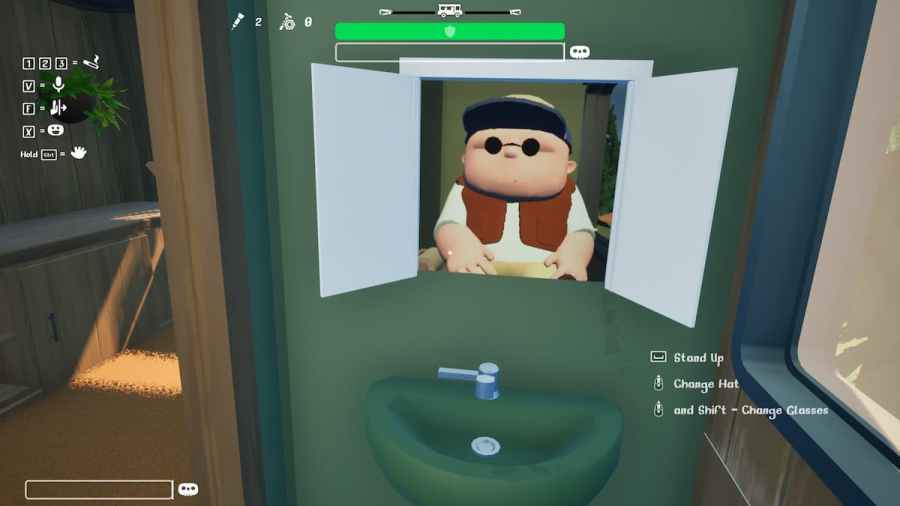
Master the controls to navigate Mabutts Valley efficiently
✅ What You'll Learn
- ✓ Complete keyboard control layout
- ✓ Xbox & PS5 controller button mapping
- ✓ How to customize keybinds
- ✓ Multiplayer communication controls
- ✓ Common control issues & fixes
⚠️ Important Note
Default controls work well for most players, but you can customize all keybinds in Settings → Controls. We recommend keeping default settings until you're comfortable with the game mechanics.
⌨️ Complete Keyboard Controls
| Key | Action | Notes |
|---|---|---|
| 🚗 DRIVING CONTROLS | ||
| W | Accelerate / Move Forward | Hold to drive, tap for slow movement |
| S | Reverse / Move Backward | Slower than forward movement |
| A | Steer Left | Turn radius depends on speed |
| D | Steer Right | Turn radius depends on speed |
| Space | Brake | Gradually slows down RV |
| Shift | Handbrake / Park | Instant stop, use on slopes |
| 🤲 INTERACTION CONTROLS | ||
| E | Interact / Pick Up | Use on items, doors, levers |
| F | Use Item / Consume | Eat burger, use EpiPen, etc. |
| Q | Drop Item | Free inventory space |
| Tab | Open Inventory | View all carried items |
| R | Reload / Refill | Context-dependent action |
| 📷 CAMERA & UI | ||
| Mouse | Look Around | Free camera movement |
| C | Change Camera | 1st/3rd person toggle |
| M | Open Map | View full game map |
| Esc | Pause / Menu | Settings & exit game |
| 👥 MULTIPLAYER | ||
| V | Push to Talk (Voice) | Hold to speak |
| T | Text Chat | Type to team |
| G | Ping / Mark Location | Alert teammates |
| 🔧 TOOLS & SPECIAL | ||
| 1-5 | Quick Item Slots | Hotbar items |
| X | Deploy Winch | Vehicle rescue tool |
| Z | Use Power Pole | Move obstacles |
🚗 Driving Controls Deep Dive
The RV in RV There Yet has realistic physics, making driving one of the core challenges. Understanding how acceleration, steering, and braking work is crucial.
🚀 Acceleration (W)
- • Tap W: Slow, controlled movement (uphill)
- • Hold W: Full speed (flat terrain)
- • Speed varies by terrain (mud, rocks slow you down)
- • Engine oil required for consistent acceleration
🔄 Steering (A/D)
- • Wide turning radius: RV is long and heavy
- • Plan turns early: Don't wait until last second
- • Slower speed = tighter turns
- • Reverse turning is opposite (S + A/D)
🛑 Brake (Space)
- • Gradual slowdown: Not instant stop
- • Use early before obstacles/turns
- • Momentum affects braking distance
- • Don't brake on slopes (use handbrake)
🅿️ Handbrake (Shift)
- • Instant stop: Emergency brake
- • Must-use on slopes: Prevents rolling
- • Exit RV safely: Always handbrake first
- • Steep hills: Engage before getting out
💡 Pro Driving Tip
When navigating difficult terrain, use this sequence: Slow down (Space) → Plan turn → Accelerate gently (Tap W) → Steer (A/D) → Repeat. Never go full speed on rocky or muddy terrain!
Bridge Jump Exception: For bridge jumps, you MUST be in 3rd gear (moderate speed) to successfully make the jump. See our Bridge Jump Guide for details.
🤲 Interaction Controls
Beyond driving, you'll frequently interact with objects, items, and the environment.
E - Interact / Pick Up
The most-used key in RV There Yet. E lets you:
- • Pick up items (Engine Oil, Burger, EpiPen, etc.)
- • Open doors (RV doors, cabin doors)
- • Activate levers and switches
- • Interact with team members (revive)
- • Use checkpoints (save game progress)
Tip: You'll see [E] Interact prompt when near interactive objects.
F - Use Item / Consume
Use F to consume items from your inventory:
- • Food: Burger, Meat Patty (restore hunger)
- • Medicine: EpiPen (revive/reset), Antidote (cure poison)
- • Tools: Cigarette (stamina boost), Lotion (burn heal)
Important: Select the item in your hotbar (keys 1-5) first, then press F.
Q - Drop Item
Inventory management is crucial. Use Q to:
- • Free up inventory space (limited slots)
- • Drop items for teammates
- • Discard duplicates or unwanted items
Warning: Dropped items stay on the ground and can be picked up again, but may disappear if you go too far.
👥 Multiplayer Communication Controls
RV There Yet is built for co-op, so communication controls are essential.
Voice Chat (V)
Hold V to activate push-to-talk voice communication.
- ✓ Default on
- ✓ Proximity-based
- ✓ High quality audio
Text Chat (T)
Press T to open text chat window, type your message, press Enter to send.
- ✓ Team-only chat
- ✓ Persistent log
- ✓ Voice alternative
Ping (G)
Press G to place a marker/ping on your current location or item.
- ✓ Visual marker
- ✓ Visible to team
- ✓ Great for silent play
⚠️ Voice Chat Troubleshooting
If your voice chat isn't working:
- Check Settings → Audio → Voice Chat is enabled
- Verify Windows/Steam has microphone permission
- Test microphone in Windows Sound Settings
- Try push-to-talk (V) instead of voice activation
- See our Voice Chat Fix Guide
🎮 Game Controller Support
RV There Yet has full controller support for Xbox, PlayStation, and generic gamepads. Many players prefer controllers for driving.
✅ Supported Controllers
Xbox Controllers
Xbox One, Xbox Series X/S
✓ Plug & Play
PlayStation Controllers
PS4 DualShock, PS5 DualSense
⚠️ Requires Steam Input
Generic Gamepads
Logitech, Razer, etc.
✓ Most supported
Xbox Controller Layout
| Button | Action |
|---|---|
| RT (Right Trigger) | Accelerate |
| LT (Left Trigger) | Brake / Reverse |
| Left Stick | Steer Left/Right |
| Right Stick | Look Around |
| A Button | Interact (E) |
| B Button | Cancel / Drop Item |
| X Button | Use Item (F) |
| Y Button | Change Camera |
| LB (Left Bumper) | Previous Item |
| RB (Right Bumper) | Next Item |
| D-Pad Up | Ping / Mark |
| D-Pad Down | Open Map |
| View Button | Inventory |
| Menu Button | Pause / Settings |
| Left Stick Click | Voice Chat |
PS5 DualSense Controller Layout
| Button | Action |
|---|---|
| R2 (Right Trigger) | Accelerate |
| L2 (Left Trigger) | Brake / Reverse |
| Left Stick | Steer Left/Right |
| Right Stick | Look Around |
| ✕ (Cross) | Interact (E) |
| ○ (Circle) | Cancel / Drop Item |
| □ (Square) | Use Item (F) |
| △ (Triangle) | Change Camera |
| L1 (Left Bumper) | Previous Item |
| R1 (Right Bumper) | Next Item |
| D-Pad Up | Ping / Mark |
| D-Pad Down | Open Map |
| Create Button | Inventory |
| Options Button | Pause / Settings |
| L3 Click | Voice Chat |
⚠️ PS5 Controller Setup
To use PS5 controllers on PC:
- Connect controller via USB or Bluetooth
- Open Steam → Settings → Controller → General Controller Settings
- Enable "PlayStation Configuration Support"
- Launch RV There Yet from Steam
- Controller should auto-detect
🤔 Controller vs Keyboard: Which is Better?
🎮 Controller Advantages
- ✓ Analog steering - smoother turns
- ✓ Variable speed control - trigger precision
- ✓ Comfortable for long sessions
- ✓ Great for driving
⌨️ Keyboard Advantages
- ✓ Faster item management - number keys
- ✓ Precise camera control - mouse
- ✓ Quick text chat
- ✓ More hotkey options
Pro Tip: Many players use controller for driving and keyboard/mouse for inventory management. You can hot-swap between them!
⚙️ Custom Keybinds
Don't like the default controls? You can customize every keybind in RV There Yet.
📝 How to Change Keybinds
-
1
Open Settings: Press Esc during gameplay → Select "Settings"
-
2
Navigate to Controls: Click "Controls" tab (left sidebar)
-
3
Select Action: Find the action you want to rebind (e.g., "Interact")
-
4
Click to Rebind: Click on the current key → Press your desired new key
-
5
Save Changes: Click "Apply" → "Save" to confirm
💡 Popular Custom Setups
- • FPS Players: Move Interact to F (instead of E)
- • MMO Players: Bind items to F1-F5 (instead of 1-5)
- • Racing Fans: Swap Brake/Handbrake positions
- • Lefties: Mirror WASD to Arrow Keys
⚠️ Rebind Warnings
- • Don't rebind Esc (reserved for menu)
- • Avoid conflicts (two actions = same key)
- • Test in safe area before playing
- • You can always "Reset to Default"
🔧 Controls Troubleshooting
Having issues with controls? Here are common problems and solutions.
❌ Keys Not Responding
Symptoms: Pressing keys does nothing, character doesn't move/interact
Solutions:
- Check focus: Click game window to ensure it's active (not browser/Discord)
- Restart game: Sometimes input gets stuck, restart fixes it
- Check keybinds: Make sure you didn't accidentally rebind keys
- Disable overlays: Discord/Steam overlay can interfere (disable temporarily)
- Test keyboard: Try typing in game chat (T) to verify keyboard works
🎮 Controller Not Detected
Symptoms: Controller connected but game doesn't respond
Solutions:
- Steam Input: Enable Steam Controller Configuration Support (Steam Settings → Controller)
- Wired connection: Try USB cable instead of Bluetooth (more reliable)
- Driver update: Update controller drivers (Windows Update or manufacturer site)
- Test in Big Picture: Open Steam Big Picture Mode and test controller there first
- Restart Steam: Close and reopen Steam, then launch game
🚗 RV Won't Move / Steering Stuck
Symptoms: Pressing W/A/S/D (or triggers) but RV doesn't move or steers only one direction
Solutions:
- Handbrake engaged: Make sure you released Shift (handbrake)
- Engine oil depleted: RV needs engine oil to run (check inventory)
- Stuck on obstacle: RV might be stuck on rock/tree (exit and push, or use winch)
- Multiplayer desync: If you're passenger, only driver can control RV
- Physics glitch: Rare but happens - exit RV, wait 10 seconds, re-enter
🎤 Voice Chat (V) Not Working
Symptoms: Holding V but teammates can't hear you
Solutions:
- Check in-game settings: Settings → Audio → Voice Chat Enabled = ON
- Windows permissions: Check Windows Privacy → Microphone → Allow apps
- Test microphone: Windows Sound Settings → Test your microphone
- Push-to-talk mode: Make sure it's set to "Push to Talk" not "Voice Activated"
- Full fix guide: See our detailed Voice Chat Troubleshooting Guide
Still Having Issues?
Check our comprehensive troubleshooting guide or ask the community for help.
🏆 Pro Controls Tips
Master these advanced control techniques to play like a pro.
Quick Item Switching
Don't open inventory during emergencies. Pre-assign critical items to hotbar (1-5):
- • 1: EpiPen (for revives)
- • 2: Burger (food)
- • 3: Engine Oil (refuel)
- • 4: Antidote (poison cure)
- • 5: Situational (Bear Spray, Lotion, etc.)
Feathering Throttle
On difficult terrain, don't hold W. Instead, tap W repeatedly (or pulse trigger) for maximum control:
- • Rocky terrain: Tap W to climb slowly
- • Steep downhills: Tap S (reverse) to control descent
- • Tight turns: Release W before turning
Free Look While Driving
Keep driving while looking around for bears/teammates:
- • Hold W (keep driving forward)
- • Move mouse to look left/right/behind
- • Don't steer (A/D) while free-looking (you'll crash!)
- • Practice on straight roads first
Communication Shortcuts
Fast callouts save lives in co-op:
- • G (Ping): Mark items for teammates
- • V (Voice) + "Bear": Alert team to danger
- • T (Text) + "Oil": Request engine oil
- • Use simple callouts: "Left", "Stop", "Go", "Bear"
🎯 The #1 Control Tip
Master the Handbrake (Shift) - It's the most underused but critical control in RV There Yet.
Always engage handbrake when: exiting RV on slopes, stopping near edges, taking photos, or during bear encounters. A rolling RV has killed more players than bears ever will!
📚 Related Guides
Ready to Master RV There Yet?
Now that you know all the controls, it's time to hit the road! Join 100,000+ players in the ultimate RV survival adventure.