⚡ Quick Answer: How Many Checkpoints in RV There Yet?
RV There Yet has exactly 12 checkpoints throughout Mabutts Valley:
- 1. Starting Point (0%) - Spawn area
- 2. First Cabin (8%) - Wooden cabin
- 3. The Bridge (15%) - Before bridge jump
- 4. Rocky Valley (25%) - Boulder area
- 5. Bear Territory (35%) - Forest clearing
- 6. Midpoint Cabin (50%) - Rest stop
- 7. Muddy Swamp (60%) - Swamp area
- 8. Mountain Pass (70%) - Steep climb
- 9. River Crossing (78%) - Water hazard
- 10. Final Forest (85%) - Dense trees
- 11. Final Stretch (92%) - Home visible
- 12. Finish Line (100%) - Victory! 🎉
💾 Checkpoint System Overview
RV There Yet uses an automatic checkpoint system to save your progress throughout the journey. Unlike manual save systems, checkpoints trigger automatically when your RV enters designated zones.
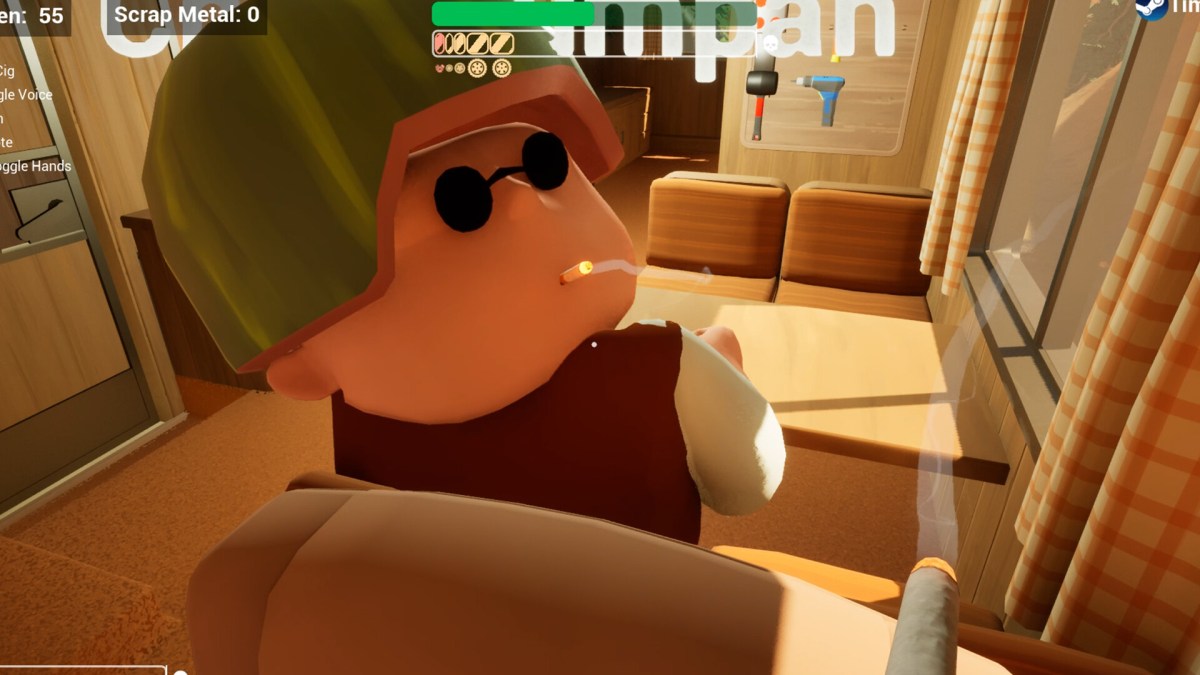
Checkpoints automatically save your progress throughout Mabutts Valley
🎯 What are Checkpoints?
Checkpoints are invisible save zones scattered throughout Mabutts Valley. When your RV drives through one, the game automatically saves your:
- ✅ Current location and RV position
- ✅ Team inventory and items
- ✅ Player health and status
- ✅ Engine oil level
- ✅ Progress through the journey
⚠️ Important: No Manual Save!
You cannot manually save your progress in RV There Yet. There's no "Save Game" option in the menu—you must reach checkpoints to save your progress.

Use the in-game map to locate checkpoint positions
📍 How to Find Checkpoint Locations
- Go to the front right side of the RV
- Pick up the map from the dashboard area
- Hold left-click to view the map
- Checkpoint locations are marked on the map
💡 Pro Tip: When you quit the game and relaunch, your RV will be back at the last checkpoint you reached. Make sure to reach a checkpoint before closing the game!
✅ Benefits
- • No manual saving - hands-free system
- • Respawn at checkpoints if team dies
- • Resume from last checkpoint if you quit
- • Progress tracking - know how far you've come
⚠️ Limitations
- • Cannot manually save - only at checkpoints
- • Must reach checkpoint for progress to save
- • No "save anywhere" feature
- • Team-wide save - all must be at checkpoint
🔧 How Checkpoints Work
Understanding the checkpoint mechanics is crucial to avoid losing progress.
1️⃣ Checkpoint Detection
When your RV enters a checkpoint zone, you'll see:
✅ "Checkpoint Reached" (on-screen notification)
Some checkpoints are silent (no notification) but still save your progress.
2️⃣ Auto-Save Process
Once triggered, the game automatically:
- Captures current RV location
- Saves all player inventories
- Records team health/status
- Updates progress percentage
- Creates respawn point (if team dies)
Save Duration: ~2-3 seconds (don't quit immediately!)
3️⃣ Checkpoint Persistence
Once a checkpoint is activated:
- ✅ Progress is saved permanently (survives game quits)
- ✅ Becomes new respawn point (if team wipes)
- ✅ Cannot be "lost" - you can always resume from it
- ⚠️ Cannot go back to previous checkpoints (one-way system)
📍 All 12 Checkpoint Locations in RV There Yet
RV There Yet features 12 checkpoints strategically placed throughout Mabutts Valley. Each checkpoint marks a significant milestone in your journey and serves as a respawn point if your team wipes. Here's the complete checkpoint list with exact locations and progress percentages:
🗺️ Interactive Checkpoint Map
View all 12 checkpoints on our detailed Mabutts Valley map with exact coordinates, nearby resources, and optimal routes between save points.
📍 View Full Game Map →HD Map Available
🎯 Checkpoint Distribution Overview
The 12 checkpoints in RV There Yet are strategically placed at key locations:
- • Starting area (spawn point - 0%)
- • First Cabin (~8% progress)
- • The Bridge (~15% progress)
- • Rocky Valley (~25% progress)
- • Bear Territory (~35% progress)
- • Midpoint Cabin (~50% progress)
- • Muddy Swamp (~60% progress)
- • Mountain Pass (~70% progress)
- • River Crossing (~78% progress)
- • Final Forest (~85% progress)
- • Final Stretch (~92% progress)
- • Finish Line (100% complete!)
💡 Tip: For detailed zone information and difficulty progression, check our Levels & Progression Guide.
Checkpoint #1: Starting Point
0% ProgressLocation: Spawn area, immediately after game starts
Your first checkpoint. All players begin here. This is your default respawn point if you die before reaching Checkpoint #2.
Checkpoint #2: First Cabin
~8% ProgressLocation: Near the first wooden cabin, ~500m from spawn
Landmarks: Cabin, fallen tree, small creek
First major checkpoint. Usually reached within 5 minutes of gameplay. Good spot to collect initial supplies (Burger, Engine Oil often spawn here).
Checkpoint #3: The Bridge
~15% ProgressLocation: Collapsed bridge area (before optional jump)
Landmarks: Broken bridge, river below, dirt path fork
Critical checkpoint before the infamous bridge jump. If you attempt the jump (3rd gear required!), this is where you respawn if you fail. See our Bridge Jump Guide for detailed instructions.
Checkpoint #4: Rocky Valley
~25% ProgressLocation: Valley with large boulders, steep incline
Landmarks: Giant rocks, narrow path, Eagle spawn zone
Challenging terrain checkpoint. Eagles may appear here. Take it slow and watch for wildlife.
Checkpoint #5: Bear Territory
~35% ProgressLocation: Forest clearing, before dense tree section
Landmarks: Open clearing, tree line ahead, bear tracks
⚠️ DANGER ZONE: Bears spawn frequently past this checkpoint! Read our Bear Escape Guide before proceeding.
Checkpoint #6: Midpoint Cabin
~50% ProgressLocation: Abandoned cabin at journey midpoint
Landmarks: Large cabin, supply crates, winch pole
Rest Stop: Excellent place to stock up on supplies. Power Pole and Bear Spray often spawn here. Learn how to use the Winch for upcoming terrain challenges.
Checkpoint #7-10: Varied Terrain
50-85% ProgressLocations: Multiple checkpoints through varied terrain
Features:
- • Checkpoint #7: Muddy swamp area (~60%)
- • Checkpoint #8: Steep mountain pass (~70%)
- • Checkpoint #9: River crossing (~78%)
- • Checkpoint #10: Final forest (~85%)
Checkpoint #11: Final Stretch
~92% ProgressLocation: Just before final downhill
Landmarks: Overlook point, can see finish area
Last checkpoint before victory! From here, it's a straight shot to the finish. Celebrate (but stay cautious of last-minute bears)!
Checkpoint #12: Finish Line
100% COMPLETE!Location: Final destination, journey complete!
🎉 Congratulations! You've made it home! This final checkpoint marks completion of the journey.
💡 Pro Tip: Checkpoint Recognition
Not all checkpoints show notifications. If you notice the progress percentage increasing (press Tab or check pause menu), you've likely passed a hidden checkpoint. Major checkpoints (every ~10-15% progress) usually show on-screen messages.
📖 Complete Checkpoint Resources
✅ How to Activate Checkpoints
Activating checkpoints is simple, but there are important rules to follow.
📝 Activation Requirements
✅ Must Have
- • RV must enter checkpoint zone (driving through)
- • All team members nearby (within ~50m of RV)
- • At least 1 player alive
- • RV has engine oil (running condition)
❌ Won't Activate If
- • On foot (must be in/near RV)
- • Player too far away (>50m from RV)
- • Entire team dead (triggers respawn instead)
- • RV reversing (must go forward)
Step 1: Approach Checkpoint
Drive your RV forward through the checkpoint zone. Zones are typically at:
- • Road intersections
- • Cabin entrances
- • Bridge approaches
- • Valley clearings
Step 2: Wait for Notification
You'll see "Checkpoint Reached" or notice progress % increase. Wait 2-3 seconds for auto-save to complete.
✅ Progress Saved: 35% → 37%
Step 3: Continue Journey
Once saved, you can safely continue driving. If you quit the game now, you'll resume from this checkpoint next time.
⚠️ Common Activation Mistakes
- ❌ Quitting too fast: Wait 3-5 seconds after checkpoint notification before quitting
- ❌ Player left behind: If a teammate is exploring on foot >50m away, checkpoint may not save for them
- ❌ Reversing through checkpoint: Doesn't trigger (must go forward)
- ❌ Assuming it saved: Check pause menu → Progress % to confirm
💡 Driving Tip: Need help with RV controls? Check our Driving Guide for gear shifting and navigation tips.
🔄 Respawn Mechanics
When your entire team dies, you'll respawn at the last activated checkpoint.
💀 What Happens When Team Wipes?
-
1
Death Screen: You'll see "Your team has perished..." message
-
2
Respawn at Last Checkpoint: Entire team teleports to last checkpoint
-
3
What You Keep: All items in inventory, engine oil level, progress %
-
4
What You Lose: Position progress (must re-drive the section), time elapsed
-
5
Retry: You can attempt the section again with full knowledge of what went wrong
✅ Checkpoint Benefits
- • No item loss - keep all inventory
- • Health restored - respawn at full HP
- • RV intact - vehicle not damaged
- • Engine oil preserved - same level as checkpoint
❌ What You Lose
- • Position progress - back to checkpoint location
- • Time - must replay section
- • Momentum - psychological setback
- • Items picked up after checkpoint (not saved)
💡 Avoid Respawning - Stay Alive!
The best checkpoint strategy is avoiding death altogether. Learn how to heal your character, revive teammates, and use engine oil to keep your RV running.
👥 Multiplayer Checkpoint Behavior
In co-op mode, checkpoints work slightly differently to accommodate multiple players.
🤝 Team-Wide Saves
Checkpoints save for all players simultaneously, but only if:
- ✅ All players are within ~50m of RV
- ✅ At least 1 player is alive
- ✅ RV successfully enters checkpoint zone
Pro Tip: Before driving through checkpoints, use voice chat (V) to call "Checkpoint ahead, everyone in RV!" See our Controls Guide for all keybinds.
📍 Late Joiners
If a player joins mid-game:
- • They spawn at the host's last checkpoint
- • They start with default inventory (no items)
- • Host may need to share items (drop via Q key)
- • Progress syncs to host's checkpoint
🚨 Player Left Behind Scenario
Problem: Player exploring on foot while RV drives through checkpoint
Result: That player may not get checkpoint save, respawns at previous checkpoint if they die
Solution:
- Always regroup before checkpoint zones
- Use Ping (G key) to mark RV location
- Driver should wait 10 seconds after checkpoint notification for stragglers
🎯 Checkpoint Strategies
Use checkpoints strategically to maximize survival and progress.
1️⃣ Stock Up Before Checkpoints
Strategy: Explore and collect items before checkpoint zones
Why: Checkpoint saves your inventory. If you collect items after checkpoint and die, you lose them.
Example: See Engine Oil near checkpoint? Grab it before passing checkpoint, not after.
2️⃣ Checkpoint as "Safe Zones"
Strategy: Take breaks at checkpoints, not between them
Why: If you quit mid-section (no checkpoint), you respawn at previous checkpoint, losing progress.
Example: Need a bathroom break? Drive to next checkpoint first, then quit safely.
3️⃣ Post-Checkpoint Risk Taking
Strategy: Attempt risky maneuvers immediately after checkpoints
Why: If you fail (die), you only lose a few minutes, not 30+ minutes of progress.
Example: Bridge jump? Try it right after Checkpoint #3. If you die, respawn at #3 and take long route.
4️⃣ Pre-Checkpoint Caution
Strategy: Play extra safe in the 5 minutes before a checkpoint
Why: You're close to safety. Dying here means replaying from previous checkpoint (big loss).
Example: See bear at 33% progress (checkpoint #5 at 35%)? Avoid combat, just drive past cautiously.
💡 Advanced Strategy: Checkpoint Scouting
For hardcore players attempting speedruns or no-death runs:
- 1. On first playthrough, memorize checkpoint locations (take notes)
- 2. Plan optimal routes between checkpoints (avoid wildlife zones)
- 3. Time each section (know which sections are high-risk)
- 4. Pre-place items at key checkpoints (drop extras for next run)
Result: Reduce completion time by 20-30%!
🔧 Checkpoint Troubleshooting
Having checkpoint issues? Here's how to fix common problems.
❌ Issue: Checkpoint Not Triggering
Symptoms: Drove through expected checkpoint zone, no notification, progress % unchanged
Solutions:
- Check team: All players within 50m of RV? (press Tab → see teammate positions)
- Go forward: Reversing doesn't trigger checkpoints, must drive forward
- Engine on: RV needs engine oil and to be "running" state
- Wrong location: You may have passed a "minor" checkpoint (no notification but saves)
- Continue driving: Next major checkpoint is likely 5-10% progress ahead
❌ Issue: Progress Not Saving
Symptoms: Quit game, rejoined, spawned at old checkpoint (lost progress)
Solutions:
- Wait 5 seconds after checkpoint notification before quitting
- Check pause menu: Verify progress % updated before quitting
- Don't force quit: Use proper "Quit to Menu" → "Exit Game" (not Alt+F4)
- Cloud save sync: If on Steam, wait for "Cloud Sync" icon to finish
❌ Issue: Spawned at Wrong Checkpoint
Symptoms: Died and respawned at checkpoint from 20 minutes ago, not recent one
Cause: Team was split during checkpoint activation
Solutions:
- Always regroup: Before checkpoints, call team to RV
- 50m rule: All players must be within 50m of RV for checkpoint to save
- Verify save: After checkpoint, ask team in voice chat "Did you get checkpoint?" to confirm
❌ Issue: Lost Items After Respawn
Symptoms: Died, respawned at checkpoint, but some items missing from inventory
Explanation: Items picked up after checkpoint don't save
Solutions:
- • Prevention: Collect items before passing checkpoints, not after
- • Strategy: If you see item after checkpoint, consider not taking risky actions until next checkpoint
- • Workaround: In multiplayer, have one player grab items after checkpoint, others stay at checkpoint (if only item-holder dies, they respawn without losing team progress)
📸 Visual Checkpoint Recognition Guide
Learning to recognize checkpoint zones visually will help you anticipate saves and plan your route more effectively. Here are the key visual indicators for each checkpoint type:
🏠 Cabin Checkpoints
Visual Cues:
- • Wooden structures visible from road
- • Supply crates nearby
- • Cleared area around building
- • Often near power poles
Checkpoints: #2 (First Cabin), #6 (Midpoint Cabin)
🌉 Bridge/Crossing Checkpoints
Visual Cues:
- • Water visible below
- • Wooden or metal bridge structure
- • Path narrows significantly
- • Often at terrain transitions
Checkpoints: #3 (The Bridge), #9 (River Crossing)
⛰️ Terrain Transition Checkpoints
Visual Cues:
- • Landscape changes dramatically
- • Elevation shift (uphill/downhill)
- • Different vegetation type
- • Road surface changes
Checkpoints: #4 (Rocky Valley), #7 (Muddy Swamp), #8 (Mountain Pass)
🐻 Danger Zone Checkpoints
Visual Cues:
- • Open clearing before dense forest
- • Bear tracks or scratch marks
- • Darker, more ominous atmosphere
- • Often before wildlife spawn zones
Checkpoints: #5 (Bear Territory), #10 (Final Forest)
💡 Checkpoint Recognition Tips
On-Screen Indicators:
- ✅ "Checkpoint Reached" notification
- ✅ Progress percentage increases
- ✅ Brief screen flash (subtle)
- ✅ Auto-save icon appears
Environmental Clues:
- 🗺️ Landmark structures nearby
- 🗺️ Road widens or changes
- 🗺️ Supply items spawn nearby
- 🗺️ Scenic overlook points
🏆 Pro Checkpoint Tips & Advanced Strategies
Keep a Checkpoint Log
On first playthrough, note checkpoint locations and progress %. On subsequent runs, you'll know exactly when to expect saves and can plan accordingly.
Drive Slow Through Checkpoints
Don't speed through checkpoint zones. Drive slowly (~20-30 mph) to ensure all players trigger the save, and wait 3-5 seconds after notification.
Communicate Checkpoints
In multiplayer, use voice chat (V) to announce: "Checkpoint at 35%, everyone ready?" This ensures team is grouped and prepared.
Checkpoint = Break Time
Use checkpoints as natural break points. Organize inventory, discuss strategy, take a 2-minute breather. Reduces mistakes in next section.
⚡ Speedrun Checkpoint Strategy
For players attempting speedruns, understanding checkpoint timing is crucial. Here's the optimal approach:
🎯 Skip Optional Exploration
Focus on reaching checkpoints quickly. Only collect essential items (Engine Oil, Bear Spray).
🛣️ Memorize Routes
Learn the fastest path between checkpoints. Avoid detours and wildlife encounters.
⏱️ Time Each Section
Track your checkpoint-to-checkpoint times. Identify slow sections for improvement.
🏆 World Record Pace: ~45 minutes total | View Speedrun Guide →
📊 Checkpoint Timing Reference
Average time to reach each checkpoint (casual pace vs speedrun pace):
| Checkpoint | Progress | Casual Time | Speedrun Time |
|---|---|---|---|
| #1 Starting Point | 0% | 0:00 | 0:00 |
| #2 First Cabin | 8% | ~5 min | ~3 min |
| #3 The Bridge | 15% | ~12 min | ~6 min |
| #4 Rocky Valley | 25% | ~20 min | ~10 min |
| #5 Bear Territory | 35% | ~30 min | ~14 min |
| #6 Midpoint Cabin | 50% | ~45 min | ~20 min |
| #7-10 Varied Terrain | 60-85% | ~60-80 min | ~25-35 min |
| #11 Final Stretch | 92% | ~90 min | ~40 min |
| #12 Finish Line | 100% | ~100 min | ~45 min |
Note: Times vary based on team size, experience, and wildlife encounters. For detailed game length information, see our Game Length Guide.
📚 Related Guides
Complete Game Map
All checkpoint locations on HD map with routes & resources
Levels & Progression
Understand zones, difficulty & game progression
Speedrun Route
Optimal checkpoint-to-checkpoint routes for fast completion
Master Every Checkpoint!
Now that you understand the checkpoint system, you'll never lose progress again. Ready to conquer Mabutts Valley?